KineMaster - Video Editor Background Art
KineMaster - Video Editor
Video Players & Editors

KineMaster - Video Editor

4.4
v8.0.14.36002.GP
KineMaster, Video Editor Experts Group

Visual Data

KineMaster - Video Editor Screenshot 1KineMaster - Video Editor Screenshot 2KineMaster - Video Editor Screenshot 3KineMaster - Video Editor Screenshot 4KineMaster - Video Editor Screenshot 5KineMaster - Video Editor Screenshot 6KineMaster - Video Editor Screenshot 7KineMaster - Video Editor Screenshot 8

Briefing

KineMaster - Video Editor is a versatile mobile app designed for creating and editing videos with professional-quality results. As a popular Android app, it offers a wide range of app features that cater to both casual users and content creators, providing an intuitive interface for seamless video editing on your device. Its comprehensive tools ensure an engaging app experience for editing videos directly from your smartphone or tablet.

Core Data

Core Features

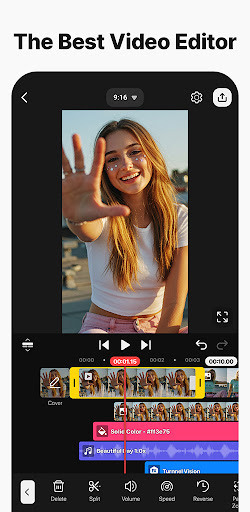
  • The app features a user-friendly timeline editing interface suitable for both beginners and pros.
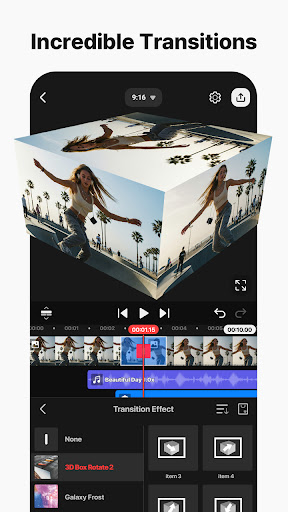
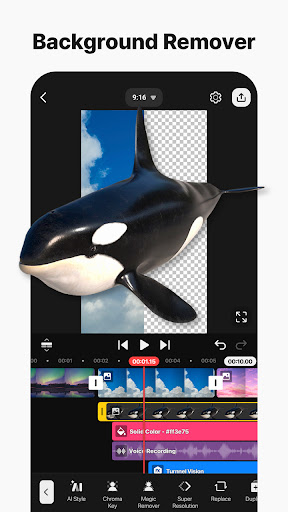
  • It offers advanced tools like multi-layer editing, transitions, and special effects for professional-quality videos.
  • Includes real-time preview and instant rendering, enhancing the app experience during editing sessions.
  • Supports exporting in various resolutions, including 4K, for high-quality video production on mobile devices.
  • Comprehensive audio editing features allow seamless integration and voiceovers within the app.
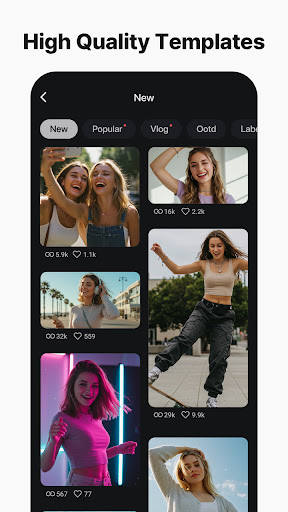
  • Offers an intuitive mobile app experience with quick access to templates and built-in stock media.
  • Includes collaborative features enabling easy sharing and review, suitable for content creators.

Who This App Is For

This mobile app is ideal for content creators, vloggers, and social media enthusiasts aged 15 and above who want to produce professional videos on their Android devices. It suits users seeking a reliable app-based solution for quick edits and creative projects.

Whether you're a beginner exploring video editing or a seasoned creator aiming for polished content, this app helps you craft impressive videos with ease, right from your phone or tablet, without needing a PC or complex launcher apps.

Why Choose This App

This Android app stands out for its robust app features, delivering a smooth and intuitive app experience tailored for mobile video editing. It's a trusted choice for users who need a versatile app-based solution for editing on the go.

It simplifies complex editing tasks and offers high-quality output, making it a reliable option amid many alternatives, especially with its focus on performance and user satisfaction in a mobile environment.

System Features

1

Simple and Powerful Video Editing Tool for Creators

2

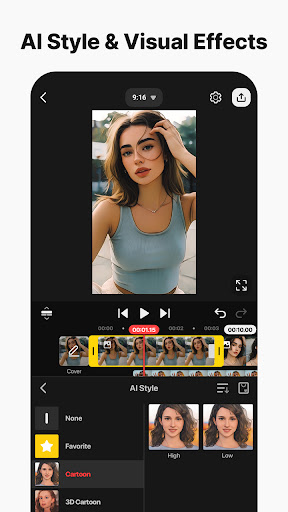
Advanced AI Features for Effortless Editing

3

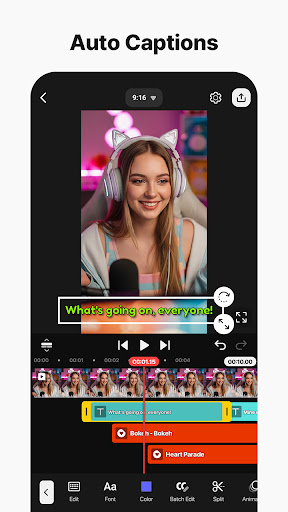
Smart Caption and Voiceover Tools for Engagement

4

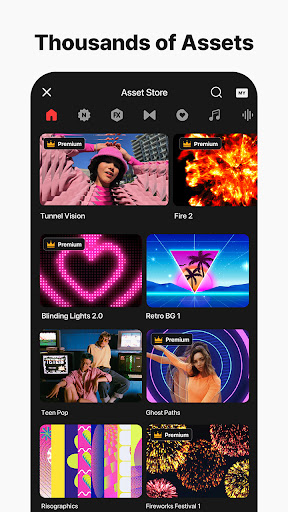
Creative Asset and Template Resources for Inspiration

5

Precise Editing Controls for Professional Results

6

High-Quality Export Options for Social Sharing

7

Intuitive Layer Management for Complex Projects

8

Cloud Backup and Asset Store for Seamless Workflow

Advantages

  • +
    Intuitive design allows beginners to quickly learn editing tools without a steep learning curve.
  • +
    Offers multiple layers, transitions, effects, and audio editing options suitable for professional-quality projects.
  • +
    Supports exporting videos up to 4K, ensuring detailed and high-quality outputs for different platforms.
  • +
    Optimized for quick processing, reducing wait times even for complex edits.
  • +
    Provides a wide variety of free overlays, sounds, and templates that enhance creative possibilities.

Limitations

  • -
    Many advanced tools are locked behind a watermark or premium subscription; workaround includes using free alternatives or trial periods.
  • -
    Users may experience crashes when working with large files or during rendering; updating the app regularly can help mitigate this.
  • -
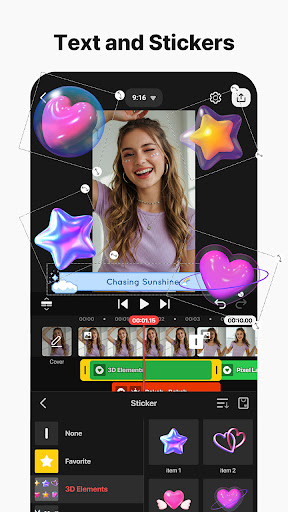
    Text editing options are somewhat basic, lacking advanced fonts or animation controls; official updates are expected to expand this.
  • -
    Certain cloud-based assets or stock content require internet access, which may restrict offline editing; offline modes are being improved.
  • -
    While beginner-friendly, mastering the more complex features may require watching tutorials or practice; official tutorials are available.

Download Protocol

[SECURE LINK] You are being redirected to the official app store.

FAQ Protocol

Q: Is KineMaster - Video Editor safe to use on my device?

Yes, KineMaster is a widely trusted mobile app for video editing available on both Android and iOS platforms. It has been reviewed by millions of users and complies with app safety standards. You can feel confident using this app for your editing needs. The app is regularly updated to ensure security and performance improvements. When installing from official app stores, you're accessing a safe, app-based solution designed to protect your data and privacy while providing powerful editing features.

Q: How do I install KineMaster - Video Editor on my Android device?

Installing KineMaster on your Android device is straightforward. Simply visit the Google Play Store and search for the app, then tap on the install button. This popular launcher app offers a range of intuitive app features to help you start editing quickly. Ensure you have enough storage space and a stable internet connection. Once installed, open the app, and you'll be ready to explore its powerful editing capabilities that are perfect for both beginners and experienced video creators.

Q: What kind of app features does KineMaster offer?

KineMaster features a comprehensive suite of tools for video editing, including multiple layers of video, images, and text. It also provides real-time audio and video recording, along with a wide selection of effects, transitions, and filters. This app-based solution is designed to give you professional-level editing right from your mobile device. Whether you need simple edits or detailed transitions, KineMaster's app features are tailored to enhance your app experience.

Q: Can I use KineMaster without an internet connection?

Yes, once you've downloaded and installed KineMaster on your device, most editing functions can be used offline. This makes it a versatile mobile app capable of handling your editing projects anytime, anywhere. However, some features like access to premium assets or cloud-based sharing may require an internet connection. Overall, the app experience remains smooth and efficient even without constant connectivity.

Q: Does KineMaster support different video formats and resolutions?

Absolutely! KineMaster is compatible with various video formats, making it easy to work with files from different sources. It also supports high-resolution exports, including 4K quality on supported devices, ensuring your final videos look professional. This flexibility is part of what makes KineMaster a popular app-based solution for both casual and professional editors. The app's features cater to those looking for versatile editing options directly on their mobile devices.

Q: Is KineMaster suitable for beginners or only experienced editors?

KineMaster offers an intuitive interface that makes it suitable for beginners, while also providing advanced tools for more experienced users. Its app features are designed to be accessible yet powerful, accommodating a wide range of skill levels. If you're new to video editing, you can start with basic features and gradually explore more complex options. The app experience is seamless and user-friendly, helping you create impressive videos without needing desktop software.

Q: How does KineMaster compare to other launcher apps in the video editing category?

KineMaster stands out among launcher apps for its robust app features and user-friendly interface. It provides a professional-level editing experience right from your mobile device, making it a top choice for those seeking a reliable app-based solution. Its versatile tools, high-quality export options, and extensive editing options give it an edge over many other apps in the same category, especially for Android app users looking for a comprehensive editing tool.

Q: Is there customer support available if I encounter problems with KineMaster?

Yes, KineMaster offers customer support through its official website and app stores. You can find detailed FAQs, tutorials, and contact options to resolve issues quickly. The developers are committed to maintaining a trustworthy app experience. Having reliable support helps build trust in this popular mobile app. Whether you need guidance on using certain features or assistance with troubleshooting, the support resources are designed to ensure your editing experience remains smooth and satisfying.

Recommended Protocols