
Kitcha: Recipe & Meal Planner
Visual Data
Briefing
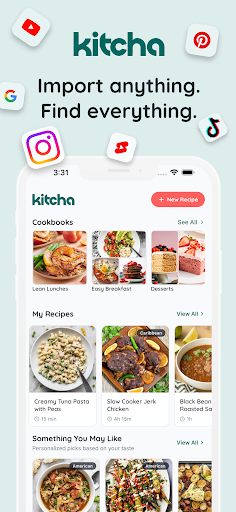
Kitcha: Recipe & Meal Planner is a user-friendly mobile app designed to help you organize and enjoy your cooking journey. This Android app offers a comprehensive set of features that make meal planning, recipe management, and grocery shopping simple and efficient. Whether you're a beginner or an experienced home cook, Kitcha provides an intuitive app experience that streamlines your culinary routines and keeps you inspired in the kitchen.
Core Data
Core Features
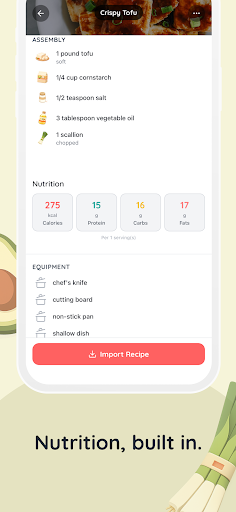
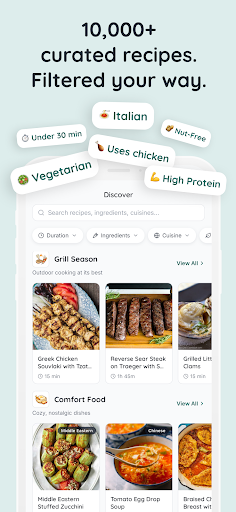
- The app features a comprehensive recipe database with detailed instructions and nutritional info, making meal planning easy.
- It offers a customizable meal planner that helps users schedule and track their daily, weekly, and monthly meals efficiently.
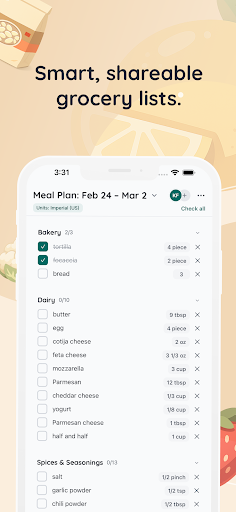
- With shopping list integration, users can generate and edit shopping lists based on selected recipes, saving time at the store.
- The app includes a pantry tracker to keep tabs on ingredients you already have, reducing food waste and unnecessary purchases.
- Real-time sync across devices ensures your meal plans and lists are always up-to-date, whether on a phone or tablet.
- It supports offline mode, allowing users to access recipes and plans without an internet connection.
- The app features intuitive navigation and a clean interface, enhancing the overall app experience for users seeking an efficient solution.
Who This App Is For
This mobile app is perfect for busy home cooks, meal prep enthusiasts, and anyone looking to organize their daily diet. It caters especially to users ages 18-45 who want an easy-to-use app-based solution for meal planning and cooking.
If you're juggling work, family, and health goals, this Android app helps streamline your kitchen routines. From creating shopping lists to tracking ingredients, it suits real-world scenarios like weekly meal prep or dietary management.
Why Choose This App
This app offers a user-friendly and reliable app experience that combines multiple app features into one convenient platform, making meal planning less stressful.
Its strong emphasis on app features such as real-time sync and offline access sets it apart from other solutions, ensuring you stay organized anytime, anywhere, without sacrificing usability or trustworthiness in managing your meals.
System Features
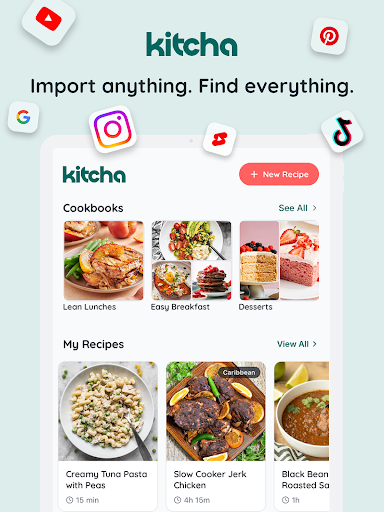
1. User-friendly recipe saver for easy inspiration collection
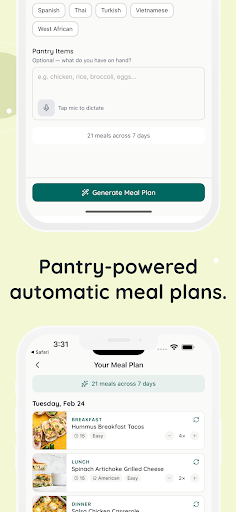
2. Personalized meal planner for tailored weekly menus
3. Intelligent grocery list generator for efficient shopping
4. Seamless recipe and cookbook sharing for culinary collaboration
5. Dynamic kitchen tools for quick measurement conversions
6. Automated meal plan creation based on pantry data
7. Multi-device syncing for consistent cooking experience
8. Custom tag organization for recipe categorization
Advantages
- +The app is easy to navigate, making meal planning hassle-free for users.
- +Offers a wide variety of recipes suitable for different dietary preferences.
- +Allows users to plan meals in advance, enhancing organization and reducing last-minute stress.
- +Automatically generates shopping lists based on selected recipes, saving time.
- +Helps users maintain healthy eating habits with detailed nutrition data.
Limitations
- -Users with specialized diets may find the app's options insufficient; official updates could add more dietary filters.
- -Some recipes may lack precise measurements; community feedback or app updates could improve accuracy.
- -The app requires an internet connection for full functionality, which might inconvenience some users; offline mode could be scheduled for future releases.
- -Syncing with fitness trackers or calorie counters is minimal; future updates may enhance compatibility.
- -Certain advanced features require subscription, which could be a hurdle; free version covers basic needs well enough.
Download Protocol
[SECURE LINK] You are being redirected to the official app store.
FAQ Protocol
Q: How do I log into Kitcha: Recipe & Meal Planner?
To access the app's full features, you simply open the Kitcha mobile app and follow the prompts to sign in using your email or social media accounts. The app offers a straightforward login process that is user-friendly for everyone.
If you're new, just create an account within the app. Once logged in, you'll be able to store your favorite recipes and meal plans securely without any hassle. This process ensures your app experience is smooth and personalized.
Q: Is Kitcha: Recipe & Meal Planner safe to use on my Android device?
Yes, Kitcha is a trusted app available on the Google Play Store, which ensures it has undergone security checks. The app uses secure data handling practices to keep your personal information safe.
If you download it from reputable sources, you can confidently use this app-based solution for all your cooking and meal planning needs. Always keep your device updated to maintain the highest safety standards when using any mobile app.
Q: What are the main app features of Kitcha?
Kitcha offers a variety of app features designed to enhance your cooking experience. These include customizable recipe collections, meal scheduling, shopping list creation, and dietary preference filters. The app provides a user-friendly interface that makes meal planning simple and enjoyable.
The app features also include offline access to saved recipes and seamless synchronization across devices. These app features help make meal planning more organized, whether you are following a specific diet or just looking for inspiration.
Q: Can I use Kitcha as a launcher app on my Android device?
While Kitcha is primarily a recipe and meal planning app, it does not serve as a launcher app. Instead, it functions as a dedicated app that you can access from your device's app drawer or home screen.
If you're interested in organizing your apps or creating quick access points, you might consider a launcher app separately. Kitcha is designed to seamlessly integrate into your existing Android app experience to support your cooking and nutrition goals.
Q: Does Kitcha support multiple languages or regional settings?
Currently, Kitcha is primarily available in English, catering to a broad user base. The app's interface and recipe content are optimized for clarity and ease of use in English-speaking regions.
If language support expands in future updates, it will significantly improve the app experience for users worldwide, making meal planning and recipe management more accessible for everyone.